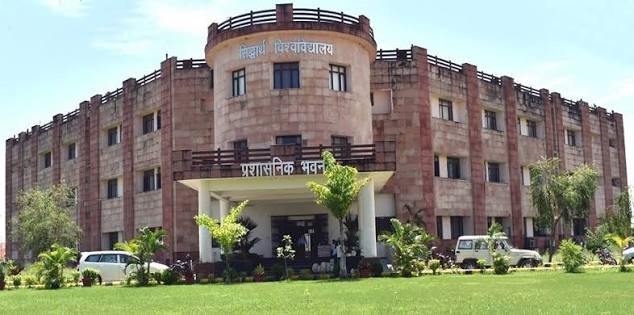
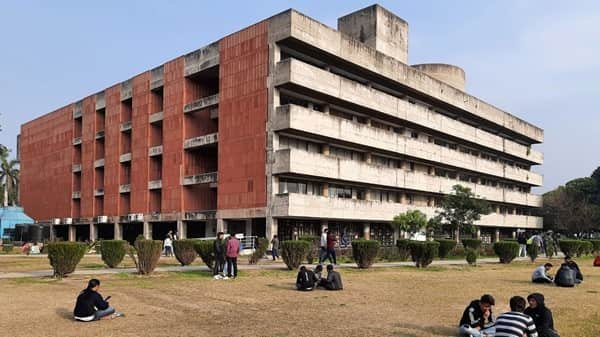
The University of Burdwan, commonly called Burdwan University, is a state public university in West Bengal that began its academic journey in 1960. Its administrative centre is at Rajbati in Bardhaman, while much of its academic activity is associated with the Golapbag campus. The university has postgraduate departments, professional and research programmes, and a broad affiliated-college system. That combination makes its online admission process more varied than a single “apply here” page might suggest.
For 2026-27, many undergraduate admissions in West Bengal are being handled through the state Centralised Admission Portal, while Burdwan University also publishes its own admission notices for postgraduate, law, engineering and other programmes. PG admission is organised faculty-wise on university pages, and results are released as course- and semester-specific provisional result notices. Student registration/enrolment and the Centre for Distance and Online Education have separate logins. This guide keeps those routes distinct so applicants do not confuse a college admission portal, university PG application and enrolled-student registration account.

Quick About
| Particular | Details |
| Official name | The University of Burdwan |
| Common name | Burdwan University |
| University type | State public university |
| Established | 1960 |
| Administrative campus | Rajbati, Bardhaman – 713104, West Bengal |
| Academic campus | Golapbag, Bardhaman, West Bengal |
| Main website | https://www.buruniv.ac.in/ |
| UG admission route | https://wbcap.in/ for many regular affiliated-college UG admissions, as notified for 2026-27 |
| PG admission | https://www.buruniv.ac.in/pgadmission/index_pg.php |
| Results | https://www.buruniv.ac.in/Demo/Template.php?menu=NOT_EXRS&submenu=EXRS_ALL |
| UG registration / student login | https://www.buruniv.ac.in/ugonline/ |
| CDOE student login | https://cdoe-portal.buruniv.ac.in/elearn/login |
Courses and Admission Routes
Burdwan University offers postgraduate courses through several faculty councils, undergraduate programmes mainly through affiliated colleges, professional programmes, engineering and technology courses through the University Institute of Technology, research programmes and distance/online education through CDOE. Each group may publish its own admission notice, merit list and reporting instructions.
For the 2026-27 undergraduate cycle, West Bengal’s centralised admission system is relevant to many regular UG seats in affiliated colleges, but excluded/special categories and university-specific programmes may follow another route. PG applicants should use the university’s current faculty-wise admission pages. The safest approach is to start from buruniv.ac.in and follow the current notice for the exact course.
Burdwan University Admission Procedure
1. Identify the correct admission category. Check whether the application is for a regular UG college seat, university PG programme, law, engineering, research or CDOE programme.
2. Open the portal named in the current notice. For many 2026-27 UG admissions, use the West Bengal Centralised Admission Portal when the college/course is covered. For university PG programmes, use the current Burdwan PG admission page.
3. Check eligibility and programme rules. Confirm required subjects, minimum marks, entrance/merit method, reservation rules and whether the candidate belongs to an internal/home-university or other category where applicable.
4. Register with active contact details. Use the candidate’s correct mobile number and email because login credentials, rank/allotment information and recovery messages can be sent there.
5. Enter academic details and upload documents. Match marks, university/board details and category claims with the supporting certificates.
6. Pay the application or counselling fee through the authorised portal. Save the transaction reference, application number and submitted form.
7. Track merit, rank and allocation notices. Burdwan University publishes provisional rank lists, admitted lists and phase-wise allocation instructions for many PG programmes.
8. Complete verification and enrolment. If selected, pay the required admission fee and submit originals/required copies within the stated reporting period.
Documents Commonly Required for Admission
The final checklist varies by programme and faculty. Commonly requested documents include:
• Class 10 certificate or accepted proof of date of birth
• Class 12 mark sheet and pass certificate for undergraduate admission
• Graduation mark sheets and degree/provisional certificate for postgraduate admission
• Entrance test/rank or other selection record where applicable
• Recent photograph, signature and government identity proof
• Category, EWS, disability or other reservation certificates where applicable
• Migration, transfer or eligibility certificate for candidates from another board/university when required
• Application form, merit/allotment record and payment receipts
Applicants should follow the programme brochure for certificate formats and verification rules. State-portal acceptance does not replace university-level document verification.
How To Check Burdwan University Result
1. Open the official Burdwan University Results section. Use the Results page on buruniv.ac.in, which publishes current provisional results course-wise and semester-wise.
2. Choose the correct result group. Select UG, PG, professional or other result listings according to the programme.
3. Match the examination carefully. Check the degree, semester, regular/reappear status and examination year before opening the result notice.
4. Find the student record. Depending on the result publication, use the roll/registration details or check the official result list provided by the university.
5. Save the provisional result and obtain formal records. Keep the online result for reference and collect/download the official marksheet, grade card or certificate through the prescribed route when required.
Burdwan University often publishes results as course- and semester-specific provisional notices rather than through one universal roll-number dashboard. Always check the correct result category.
Burdwan University Student Login
Burdwan University does not use one universal login. UG registration/enrolment and CDOE have separate student routes, while PG admission accounts and examination results use their own systems.
1. For UG registration/enrolment, start at the official UG Online page. Open https://www.buruniv.ac.in/ugonline/ and use the student login linked there for the applicable registration session.
2. Use the credentials issued by the university/system. The registration manual states that login credentials can be sent by SMS/email after registration.
3. For CDOE students, use the CDOE login separately. Open https://cdoe-portal.buruniv.ac.in/elearn/login and sign in with the application/enrolment number and password.
4. Do not use an admission login as a general examination login. PG application credentials, UG registration credentials and CDOE credentials serve different processes.
5. Verify the student profile after login. Check the name, college/department, programme and enrolment information before submitting an academic request or payment.
If a login fails, use that portal’s official recovery option or contact the relevant university section. Avoid creating duplicate student records.
Important Checks Before Paying Any Fee
• Reach admission, registration and result services from buruniv.ac.in or the state portal named in the current notice.
• Check whether the payment belongs to state UG registration, university PG application, admission, enrolment or examination services.
• Verify application/enrolment number and programme before paying.
• If a payment is debited but not reflected, save proof and wait for/seek official reconciliation rather than paying repeatedly.
• Keep merit/allotment notices, receipts and registration acknowledgements until the university record is complete.
Frequently Asked Questions
Q1. Does one Burdwan University admission portal cover both UG and PG courses?
No. Many regular UG admissions in affiliated colleges use the West Bengal centralised system, while university PG and specialised programmes use Burdwan University’s own current admission pages.
Q2. Why are Burdwan University results often shown as provisional result notices?
The university publishes examination outcomes course- and semester-wise through its Results section. The formal marksheet or grade card remains the academic document used for official purposes.
Q3. Can a PG admission login be used for UG registration after joining a college?
No. Admission and post-admission registration/enrolment are separate processes. Students should use the registration link and credentials specified by the university/college.
Q4. What if a student cannot find a declared result in the expected category?
Check whether the programme belongs to UG, PG, professional or another result group and confirm the examination session. If the batch result is declared but the record is missing, contact the college or Controller of Examinations.
Q5. Do CDOE students use the same login as regular campus students?
No. The Centre for Distance and Online Education has its own student login using the application or enrolment number and password.